01
Canal Dark
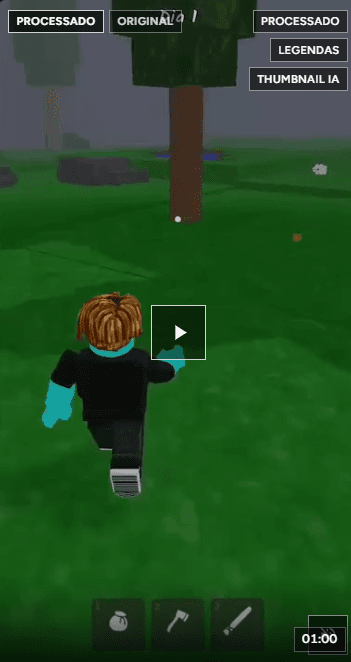
Faceless projects: script, images, narration, and a full video episode for the niche you define. Great for curiosities, faith, history, horror, and other voice-over formats.
 MutterClips
MutterClips
Faceless episode production, Twitch and YouTube cuts, an AI studio, and assisted publishing. You create and run the channel on the platform; we speed up the content that goes on it.
MutterClips products
MutterClips brings faceless production, live and long-form clipping, AI finishing, and optional YouTube upload — in one login. The public channel is still created and managed by you.
01
Faceless projects: script, images, narration, and a full video episode for the niche you define. Great for curiosities, faith, history, horror, and other voice-over formats.
02
Connect your Twitch channel. Streams become raw material: AI finds high-tension moments and delivers vertical cuts ready for Shorts, Reels, and TikTok.
03
Paste a long-video link (up to about 2h50). Podcasts, gameplay, reacts, or tutorials sitting unused become on-demand vertical highlights.
Each module solves one part of the operation. Use one or combine several in the same editorial flow.
01
Canal Dark
You describe niche, voice, length, and desired cadence. MutterClips builds the editorial project, generates a scene-by-scene script, title options, AI images, narration (male, female, and other styles), and a slideshow video with optional burned-in captions. You open and configure the YouTube, TikTok, or other channel yourself — we deliver the file ready to publish.
02
Twitch
For people who already go live. Connect the channel once: the platform fetches recent VODs, analyzes emotion and hype, and cuts vertical clips. You review in the dashboard, download, or send to YouTube — without opening an editor for every highlight.
03
YouTube (import)
When the content is already on YouTube — podcast, long gameplay, react — paste the URL. It costs MutterCoins at enqueue, download respects the duration cap (~2h50), and you get vertical cuts in the same style as Twitch clips.
04
AI studio
After the cut (or a Dark episode), the studio generates covers, thumbnail intros, reviewed captions, social copy, and quality grading. Debited in MutterCoins and queued — you track the job until it completes.
05
YouTube publishing
Connect your Google account in Account and enable upload. Ready clips and episodes can be sent to the YouTube channel you already created. We don’t open the channel for you: publishing is optional and selectable. Without a connection, download the file and upload manually.
An honest flow: your channel, MutterClips production, publishing under your control.
01
YouTube, TikTok, Kwai, or Instagram — name, art, and about page are yours. MutterClips does not create that account.
02
Canal Dark for episodes from scratch; Twitch/YouTube for highlights of what you already recorded; Studio to polish before posting.
03
Download the file or use assisted publishing on connected YouTube. Strategy and calendar stay with you.
Faceless when there’s no camera. Clipping when a stream or VOD already exists.
Canal Dark
Think of an episode studio: you set identity and cadence; the platform generates narrated slideshow video. For creators who want a topical channel without filming their face every day.
Clipping
For streamers and long-form creators. MutterClips downloads, analyzes, and cuts; the AI studio finishes cover and copy; YouTube publishing is optional.
Channels grow with frequency. MutterClips shrinks the time between an idea (or a stream) and a publishable file — without claiming the channel creates itself.
Content production for your channel — not creating the platform account.
R$ 0
R$ 49/mês
Premium
R$ 129/mês
R$ 229/mês
Monthly MutterCoins renew and do not roll over. Use them for Canal Dark, YouTube import, captions, covers, narration, and social text. Purchased packs never expire and are available on every plan, including Free.